Difference between revisions of "Release notes/1.4.3"
Jump to navigation
Jump to search
m (→Crash Fixes) |
(→Tools) |
||
| Line 98: | Line 98: | ||
* … | * … | ||
==== Ellipse Tool ==== | ==== Ellipse Tool ==== | ||
| Line 107: | Line 106: | ||
* … | * … | ||
==== Mesh Gradient Tool ==== | |||
* The option to Show/Hide the gradient node handles works again ([https://gitlab.com/inkscape/inkscape/-/merge_requests/7146 MR #7146], [https://gitlab.com/inkscape/inkscape/-/issues/5668 Bug #5668]). | |||
==== Node Tool ==== | ==== Node Tool ==== | ||
| Line 126: | Line 129: | ||
* … | * … | ||
=== Clipboard === | === Clipboard === | ||
Revision as of 16:06, 8 December 2025

|
These Release Notes are in Draft Status.
Important Links:
|
|
|
Pending questions:
|
Definitely not released yet.
Changes and Bug Fixes
Inkscape 1.4.3 is a maintenance and bugfix release, which brings you fixes for many critical or irritating bugs, and even a few new features.
The most important fixes and changes in this release are:
- …
- xx crash/freeze fixes, many of which affected xx
- more than xx bug fixes and small improvements, among them improvements to xx, xx, and xx
- and xx updated translations!
([ MR #], [ Bug #])
Crash Fixes
Fixed a crash …
- … when exporting clones using 'context-fill' or 'context-strokes' to define a color to PDF (MR 7169)
- … when trying to convert a text-along-path that uses the 'path' attribute to define the path, which is new in SVG2 (and not supported by Inkscape yet - Inkscape uses 'href' to link to where the path is defined) to a normal text (MR #7191, Bug #5229)
- … when trying to export one's custom keyboard shortcuts into a file (MR #7192, Bug #5746)
- … when pressing
Ctrl + Spacein the Filter dialog (MR #7176, Bug #5569) - … when editing an SVG file that contains text that is not in a text object and the preference to check attributes and properties on editing is set to true (MR #7138, Bug #5337)
- Fixed a freeze that occurred when Inkscape was trying to render filtered objects with invalid bounding box sizes (MR #7187, Bug #5356)
General User Interface
- Handles (for rotation, shearing, ...) now look correct, even when the canvas is rotated (MR #7222, Bug #5278)
- The LPE tool (or geometric construction tool) is now by default hidden from the toolbar. It is an experimental tool which is mostly not functioning well (MR #7037, Bug #5044)
- When using drag-and-drop to add a non-SVG-image file to an existing file, Inkscape no longer opens the file in a new window instead, believing that a raster image must be handled according to one's SVG import preference (MR #6929, Bug #5642).
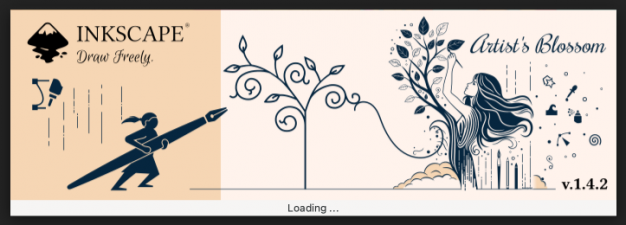
Inkscape's new splash screen at first run
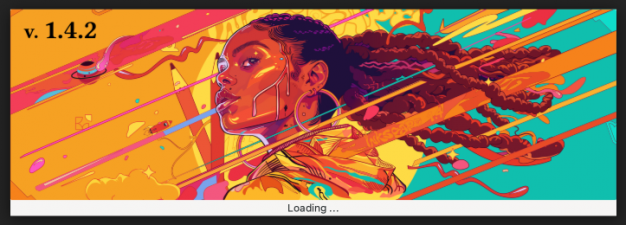
The splash screen shown on further starts
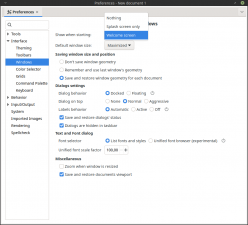
Preferences setting for startup behavior


Style
- Clones or markers that contain groups which are set to inherit their style via 'context-fill' and 'context-stroke' attributes now use the correct styles in Inkscape and also when exporting to PDF (MR #7169, Bug #5670, Bug #3458).
- The pattern 'Abstract 1' can now be colored by the user like most other patterns (if you don't know which one that is - it's the first pattern in the 'Geometrical' set, MR #6618).
Dialogs
Align and Distribute Dialog
- …
Document Properties Dialog
- …
Export Dialog
- …
Fill and Stroke Dialog
- …
Layers and Objects Dialog
- …
Swatches Dialog
- …
XML Editor Dialog
- …
Tools
Calligraphy Tool
- …
Ellipse Tool
- …
Measure Tool
- …
Mesh Gradient Tool
Node Tool
- …
Shape Builder
- S…
Spray Tool
- …
Text Tool
- …
Clipboard
- …
Images
- …
Import / Export
- …
Live Path Effects
- Simplify: The button that decides whether multiple subpaths of the path are supposed to be treated separately by the effect has been turned into a checkbox (Commit #9470be6d, Bug #4894).
Path Operations
- …
Keyboard Shortcuts
- When selecting a different set of keyboard shortcuts than the default set in the Welcome dialog, this no longer breaks most keyboard shortcuts and also respects the user's choice (Commit #6a8399ba, Bug #5648)
Extensions
New Extensions
- …
General Extension Fixes
- …
Improvements in Particular Extensions
- …
Extension Development
- …
Command Line
- …
Linux-specific Fixes
- Drag & Drop as well as 'Open file with Inkscape' from the file explorer now work for files in
/homeand/mediaif Inkscape is installed in snap format (but not for files saved in most other locations) ([1], Bug #3642) - Inkscape can now be started from the
Welcome dialogwhen using Wayland as a display server. The button row can now be reached (MR #7224, Bug #5692)
Windows-specific Fixes
MacOS-specific Fixes
- …
Improvements for Development / Deployment / Testing / Translating
- Weblate …
Translations
The following user interface translations received updates:
- …
Contributing to interface translations
Want to help with translations? Learn how to help!
Documentation
The following documentation translations received updates:
- …
Contributing to documentation and documentation translation
Contributions to the documentation translations, as well as improvements to its contents, are welcome at the inkscape-docs repository.
Other releases
- Inkscape 1.5 — development branch
- Inkscape 1.4 — current stable release branch (1.4.1, 1.4.2, 1.4.3, 1.4.4 next bugfix release)
- Inkscape 1.3 (1.3.1, 1.3.2)
- Inkscape 1.2 (1.2.1, 1.2.2)
- Inkscape 1.1 (1.1.1, 1.1.2)
- Inkscape 1.0 (1.0.1, 1.0.2)
- Inkscape 0.92 (0.92.1, 0.92.2, 0.92.3, 0.92.4, 0.92.5)
- Inkscape 0.91
- Inkscape 0.48 (0.48.1, 0.48.2, 0.48.3, 0.48.4, 0.48.5)
- Inkscape 0.47
- Inkscape 0.46
- Inkscape 0.45
- Inkscape 0.44
- Inkscape 0.43
- Inkscape 0.42
- Inkscape 0.41
- Inkscape 0.40
- Inkscape 0.39
- Inkscape 0.38
- Inkscape 0.37
- Inkscape 0.36
- Inkscape 0.35