Difference between revisions of "Release notes/1.4.3"
Jump to navigation
Jump to search
| Line 50: | Line 50: | ||
* When using drag-and-drop to add a non-SVG-image file to an existing file, Inkscape no longer opens the file in a new window instead, believing that a raster image must be handled according to one's SVG import preference ([https://gitlab.com/inkscape/inkscape/-/merge_requests/6929 MR #6929], [https://gitlab.com/inkscape/inkscape/-/issues/5642 Bug #5642]). | * When using drag-and-drop to add a non-SVG-image file to an existing file, Inkscape no longer opens the file in a new window instead, believing that a raster image must be handled according to one's SVG import preference ([https://gitlab.com/inkscape/inkscape/-/merge_requests/6929 MR #6929], [https://gitlab.com/inkscape/inkscape/-/issues/5642 Bug #5642]). | ||
* The pasting options from the Edit menu are now also available from the right-click menu on canvas, via the option 'Paste …' ([https://gitlab.com/inkscape/inkscape/-/merge_requests/6914 MR #6914], [https://gitlab.com/inkscape/inkscape/-/issues/4970 Bug #4970]). | * The pasting options from the Edit menu are now also available from the right-click menu on canvas, via the option 'Paste …' ([https://gitlab.com/inkscape/inkscape/-/merge_requests/6914 MR #6914], [https://gitlab.com/inkscape/inkscape/-/issues/4970 Bug #4970]). | ||
* Buttons in the various Tool Controls bars, Snap Controls bar [https://gitlab.com/inkscape/inbox/-/issues/12996 and hopefully soon Commands bar] no longer keep the focus when they have been clicked, so work on the canvas can continue seamlessly ([https://gitlab.com/inkscape/inkscape/-/merge_requests/7211 MR #7211], [https://gitlab.com/inkscape/inkscape/-/issues/5771 Bug #5771]). | * Buttons in the various Tool Controls bars, Snap Controls bar <span style="color:red;">XXX</span> [https://gitlab.com/inkscape/inbox/-/issues/12996 and hopefully soon Commands bar] no longer keep the focus when they have been clicked, so work on the canvas can continue seamlessly ([https://gitlab.com/inkscape/inkscape/-/merge_requests/7211 MR #7211], [https://gitlab.com/inkscape/inkscape/-/issues/5771 Bug #5771]). | ||
<gallery mode="packed" heights=150px> | <gallery mode="packed" heights=150px> | ||
Revision as of 21:31, 8 December 2025

|
These Release Notes are in Draft Status.
Important Links:
|
|
|
Pending questions:
|
Definitely not released yet.
Changes and Bug Fixes
Inkscape 1.4.3 is a maintenance and bugfix release, which brings you fixes for many critical or irritating bugs, and even a few new features.
The most important fixes and changes in this release are:
- …
- xx crash/freeze fixes, many of which affected xx
- more than xx bug fixes and small improvements, among them improvements to xx, xx, and xx
- and xx updated translations!
([ MR #], [ Bug #])
Crash Fixes
Fixed a crash …
- … when exporting clones using 'context-fill' or 'context-strokes' to define a color to PDF (MR 7169)
- … when trying to convert a text-along-path that uses the 'path' attribute to define the path, which is new in SVG2 (and not supported by Inkscape yet - Inkscape uses 'href' to link to where the path is defined) to a normal text (MR #7191, Bug #5229)
- … when trying to export one's custom keyboard shortcuts into a file (MR #7192, Bug #5746)
- … when pressing
Ctrl + Spacein the Filter dialog (MR #7176, Bug #5569) - … when editing an SVG file that contains text that is not in a text object and the preference to check attributes and properties on editing is set to true (MR #7138, Bug #5337)
- … when opening or closing some files with the Export dialog open, or when opening the Export dialog with certain files open (MR #6989, Bug #4744, Bug inbox#12065, Bug #4786)
- … when trying to export text objects of the type 'text in a shape' that do not actually have a shape associated with them, and prevent those from being created in the first place (MR #7170, Bug #5433)
- … when trying to delete a page which contains both an object and its clone(s) and the option "Move Objects with Page" is selected via the toggle button on the Page Tool's toolbar (MR #7183, Bug #5753)
- … when trying to open a file containing an invalid pattern that only has a transform, but no actual pattern (MR #7162, Bug #5677)
- Fixed a freeze that occurred when Inkscape was trying to render filtered objects with invalid bounding box sizes (MR #7187, Bug #5356)
General User Interface
- Handles (for rotation, shearing, ...) now look correct, even when the canvas is rotated (MR #7222, Bug #5278)
- The LPE tool (or geometric construction tool) is now by default hidden from the toolbar. It is an experimental tool which is mostly not functioning well (MR #7037, Bug #5044)
- When using drag-and-drop to add a non-SVG-image file to an existing file, Inkscape no longer opens the file in a new window instead, believing that a raster image must be handled according to one's SVG import preference (MR #6929, Bug #5642).
- The pasting options from the Edit menu are now also available from the right-click menu on canvas, via the option 'Paste …' (MR #6914, Bug #4970).
- Buttons in the various Tool Controls bars, Snap Controls bar XXX and hopefully soon Commands bar no longer keep the focus when they have been clicked, so work on the canvas can continue seamlessly (MR #7211, Bug #5771).
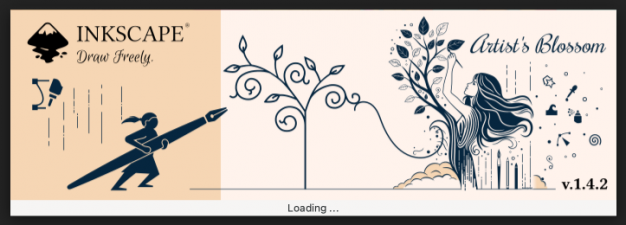
Inkscape's new splash screen at first run
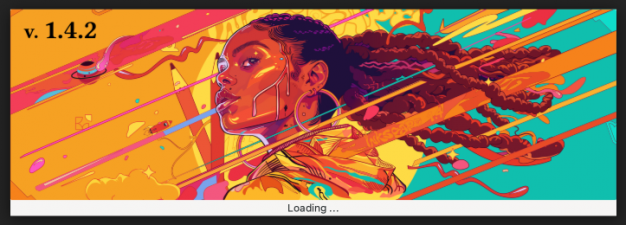
The splash screen shown on further starts
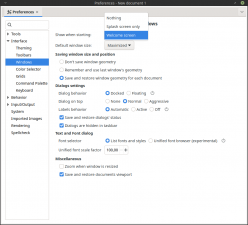
Preferences setting for startup behavior


Style
- Clones or markers that contain groups which are set to inherit their style via 'context-fill' and 'context-stroke' attributes now use the correct styles in Inkscape and also when exporting to PDF (MR #7169, Bug #5670, Bug #3458).
Dialogs
Align and Distribute Dialog
- …
Document Properties Dialog
- …
Export Dialog
- …
Fill and Stroke Dialog
- Modifying a swatch color with the color sliders no longer creates dozens of entries in the Undo history (MR #6993, Bug #5486).
- The pattern 'Abstract 1' can now be colored by the user like most other patterns (if you don't know which one that is - it's the first pattern in the 'Geometrical' set, MR #6618).
Layers and Objects Dialog
- …
Preferences Dialog
- In the keyboard shortcut settings, the categories for the keyboard shortcuts can now be translated by our translation team (MR #6989, Bug #2285, Bug #5501).
Swatches Dialog
- …
XML Editor Dialog
- …
Tools
Calligraphy Tool
- …
Ellipse Tool
- …
Measure Tool
- …
Mesh Gradient Tool
Node Tool
- …
Page Tool
- When moving pages in their order in the document (using the 'Move page...' buttons / options in the right-click menu), pages no longer change in size sometimes (MR #7194, Bug #5334).
Selector Tool
- The number fields in the Selector tool's tool control bar now show the correct object width, height and position when the preferences setting for geometrical / visual bounding box is changed (MR #6932).
Shape Builder
- …
Spray Tool
- …
Text Tool
- …
Clipboard
- …
Images
- …
Import / Export
- In the PDF import dialog, the default font import strategy has been changed from 'Draw missing fonts' to 'Substitute missing fonts'. The user's selections in the dialog will now be remembered for the next PDF import (MR #6765, Bug #5281).
- In the PDF import dialog, the options for the font import strategy now do what their label says (and not the opposite, MR #6787).
- When importing a PDF, Inkscape no longer imports lots of unnecessary (in SVG) clipping paths from the PDF file (MR #6766, Bug #11078, Bug #5153).
Live Path Effects
- Simplify: The button that decides whether multiple subpaths of the path are supposed to be treated separately by the effect has been turned into a checkbox (Commit #9470be6d, Bug #4894).
Path Operations
- …
Text
- Text-on-path can now also be applied to rectangles, the SVG 2 specification allows for this (MR #7042).
Keyboard Shortcuts
- When selecting a different set of keyboard shortcuts than the default set in the Welcome dialog, this no longer breaks most keyboard shortcuts and also respects the user's choice (Commit #6a8399ba, Bug #5648)
Extensions
New Extensions
- …
General Extension Fixes
- Multi-line text entry fields in extension dialogs now expand to show more lines of text when you type in them (if the dialog height allows for it - you still need to resize the dialog as a whole to give the text field space to expand into, MR #7182).
Improvements in Particular Extensions
- …
Extension Development
- …
Command Line
- …
Linux-specific Fixes
- Drag & Drop as well as 'Open file with Inkscape' from the file explorer now work for files in
/homeand/mediaif Inkscape is installed in snap format (but not for files saved in most other locations) ([1], Bug #3642) - Inkscape can now be started from the
Welcome dialogwhen using Wayland as a display server. The button row can now be reached (MR #7224, Bug #5692)
Windows-specific Fixes
MacOS-specific Fixes
- …
Improvements for Development / Deployment / Testing / Translating
- The Gitlab build pipelines for macOS have been updated (Commit #2cf3a72590).
- Weblate …
Translations
The following user interface translations received updates:
- …
Contributing to interface translations
Want to help with translations? Learn how to help!
Documentation
The following documentation translations received updates:
- …
Contributing to documentation and documentation translation
Contributions to the documentation translations, as well as improvements to its contents, are welcome at the inkscape-docs repository.
Other releases
- Inkscape 1.5 — development branch
- Inkscape 1.4 — current stable release branch (1.4.1, 1.4.2, 1.4.3, 1.4.4 next bugfix release)
- Inkscape 1.3 (1.3.1, 1.3.2)
- Inkscape 1.2 (1.2.1, 1.2.2)
- Inkscape 1.1 (1.1.1, 1.1.2)
- Inkscape 1.0 (1.0.1, 1.0.2)
- Inkscape 0.92 (0.92.1, 0.92.2, 0.92.3, 0.92.4, 0.92.5)
- Inkscape 0.91
- Inkscape 0.48 (0.48.1, 0.48.2, 0.48.3, 0.48.4, 0.48.5)
- Inkscape 0.47
- Inkscape 0.46
- Inkscape 0.45
- Inkscape 0.44
- Inkscape 0.43
- Inkscape 0.42
- Inkscape 0.41
- Inkscape 0.40
- Inkscape 0.39
- Inkscape 0.38
- Inkscape 0.37
- Inkscape 0.36
- Inkscape 0.35